Game Interface
Politics | Stats | Nation Management
Hearts of Iron IV Interface
Master the controls so your country runs like clockwork.
Game screen: what's where
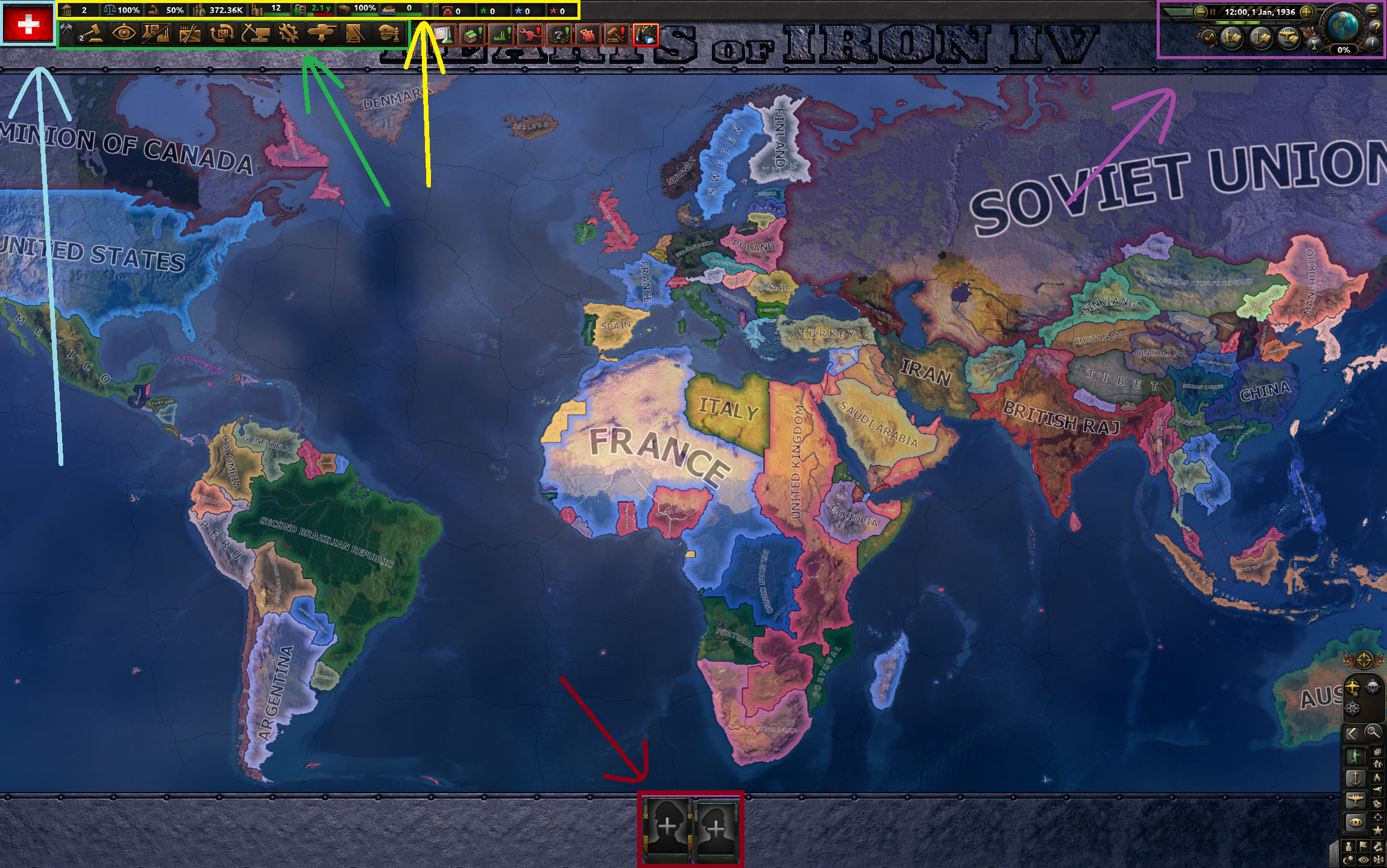
What are the indicators
The top left bar shows vital national stats: political power, stability, war support, manpower, factories, fuel, logistics, convoys, command power, and experience for each branch. They tell you how strong your country is right now.
What is politics
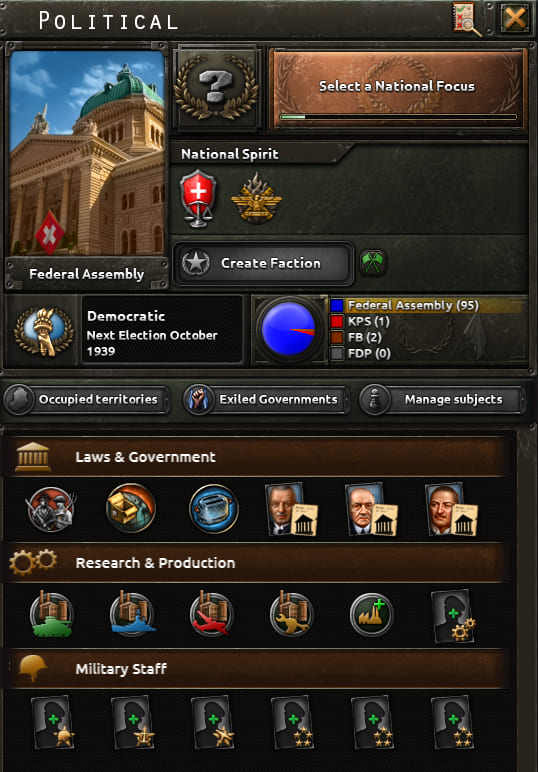
Clicking the flag opens the politics menu: focuses, national spirits, alliances, parties, laws, advisors, design companies, and military staff. From here you steer your country's development for years ahead.
Control buttons
Decisions, intelligence, research, international market, trade, construction, production, division recruitment, logistics, and officer corps. Each icon opens a separate menu for a specific task.
Frequently asked questions
Hold down the mouse wheel and move the mouse. Right-click on a country for diplomacy.
First you need to justify a war goal: right-click on another nation, click "justify war goal". Once justified, you can declare war.
Stability can be raised by certain focuses, decisions, and random events.
War support grows from world tension, some focuses, decisions, and events.
Stop training fleets, air wings, and units that consume fuel. You must have access to oil – either produce it domestically or buy it.
Go to the "Recruitment & Deployment" section – it's among the control buttons. On the right side of the screen, click "division designer" and create your own division. This costs army experience. Then go back to the section, and on the right side of your division click "train", choose a deployment location and number of units.
Political power accumulates daily at a certain rate. Hover over the icon in the indicators to see it. The amount gained depends on national spirits and stability. You can also get it from focuses and events.
Select an army and click the training icon at the bottom left of the panel. Shift+click to train up to level 3 and then stop automatically.
A measure of global aggression. It affects diplomacy and joining alliances. It raises war support, decreases war goal justification time. When high, AI countries become more aggressive.
First you need to appoint a high command for each branch – this is done for political power in the politics menu (click the flag, then the lower panel). Before wars, it's best to choose ones that give more experience and passive buffs. Closer to war, switch to those with combat buffs. You can also gain experience by sending an attaché to a warring country, training units of that branch, and completing certain focuses.
Useful console commands
Where to find the indicators

This is the top bar in the upper left corner — the most important status panel of your country.

Political Power
Resource for laws, advisors, decisions. Accumulates daily. Prioritize an advisor who boosts political power gain.

Stability
Reflects public trust. Affects production and political actions. Low stability risks a coup.

War Support
People's willingness to fight. High support is needed for wartime laws and mobilization. The higher it is, the less stability drops in war. Grows from victories, focuses, decisions, and events.

Manpower
Available population for war. If it hits zero, divisions won't replenish. Increase conscription laws or boost war support to raise it.

Factories
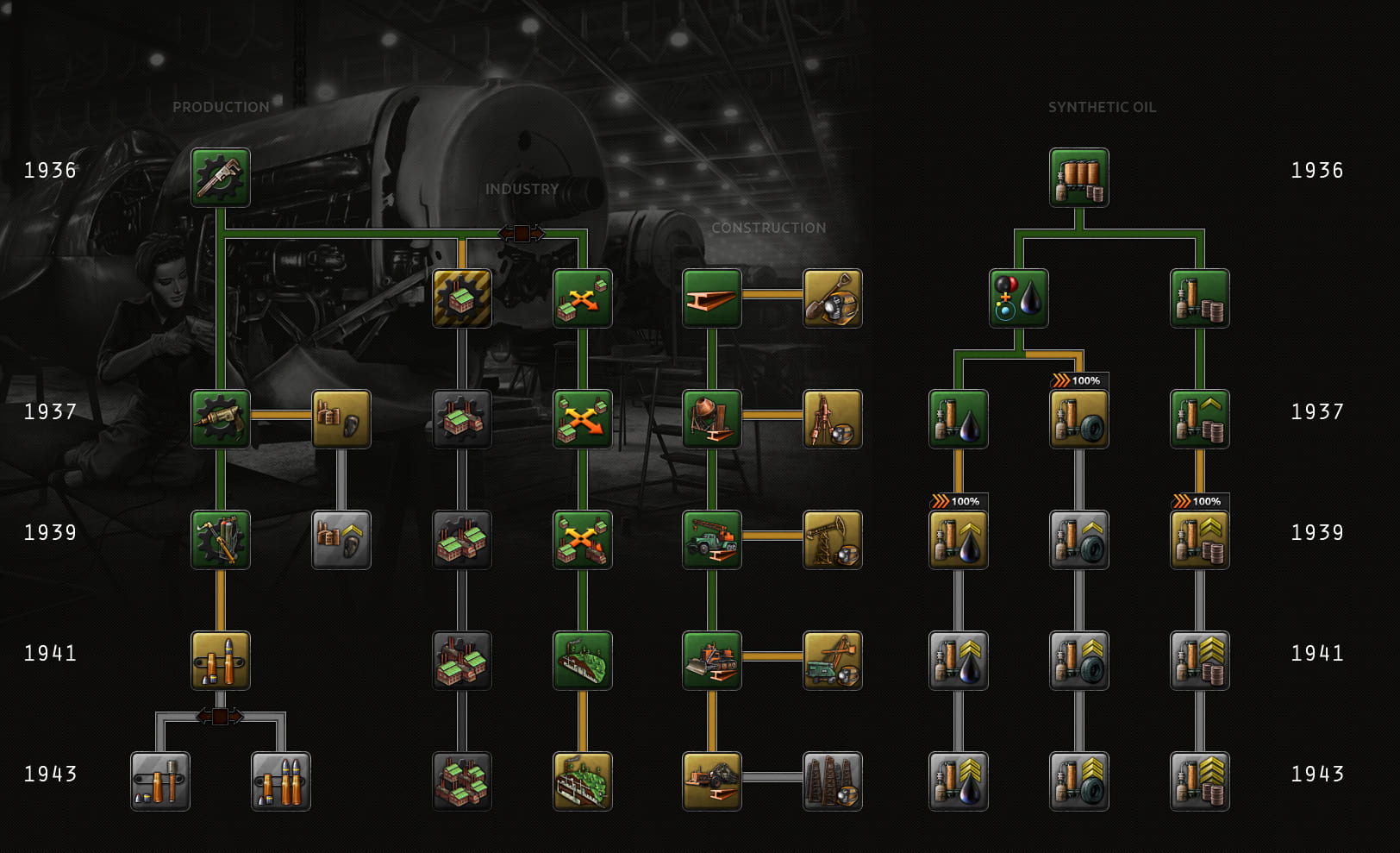
Military: weapons; Dockyards: ships; Civilian: construction and trade. The more, the stronger the country. Build them in the "construction" section.

Fuel
Fuel for vehicles. If it runs out, tanks/planes/fleet cannot fight effectively. Storage tanks increase capacity.

Logistics
Supply efficiency. Shortage of trucks/trains reduces supply effectiveness and combat ability.

Convoys
Merchant ships. They get sunk by enemy fleets. Without them, you can't transfer divisions across water, deliver supplies, or trade by sea.

Command Power
Points for operations and promoting generals. Doctrines, focuses, and high command increase the gain and maximum.

Army Experience
From battles, training, attachés, and focuses. Spent on division templates, equipment variants, and doctrines.

Navy Experience
From battles, training, attachés, and focuses. Needed for ship templates and naval doctrines.

Air Experience
From battles, training, attachés, and focuses. Lets you design improved aircraft and unlock air doctrines.
Where to find politics
Click the country flag in the upper left corner — the politics menu opens. On the right is what it looks like.
What you can do in politics
Choose national focuses, appoint advisors and improve design companies, change laws (conscription, trade, economy), manage alliances, view parties and national spirits.
Why and when to go into politics
In the first minutes of a game — pick a focus. Then, as you accumulate political power, change laws and hire advisors and high command. Always aim for war economy, expanded conscription, and closed trade.
Decisions: where and why
Icon with a checklist in the second row of the upper left. Decisions are one-time actions for political power: propaganda, economic measures, demands to neighbors, etc. Many countries have unique ones. They can affect indicators, national spirits, and politics.
Where to find construction and trade

Second row of the upper left corner: construction and trade icons.
Construction: why, where, when
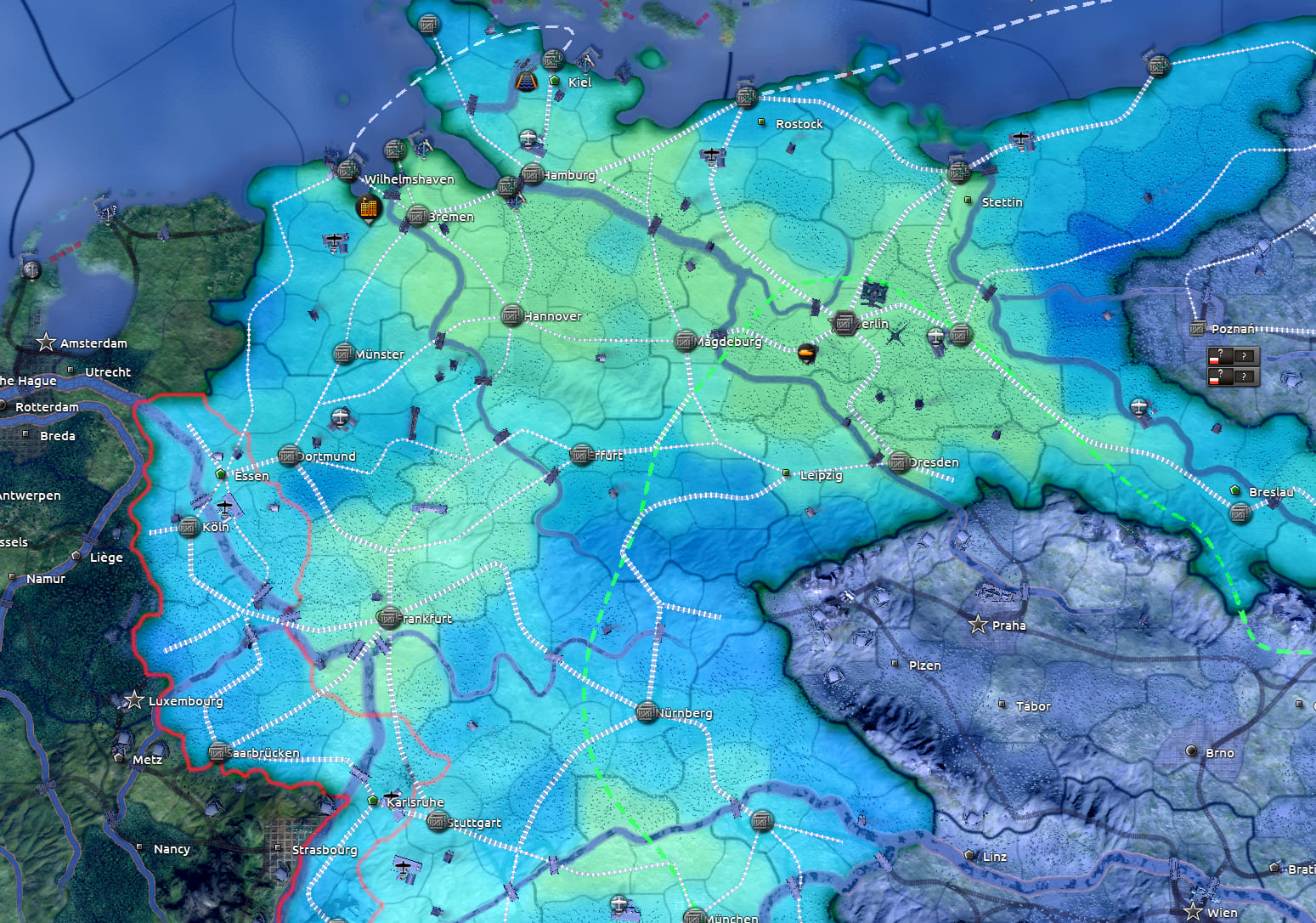
Build civilian and military factories, infrastructure, and useful facilities in your territory. Priority for factories: regions with high infrastructure, away from borders (so they aren't lost if the enemy advances). Shift+left click adds maximum to the queue. Civilian first, military closer to war.
Trade: how it works
1 civilian factory gives 8 units of resource. If an exporter sells fewer than 8 units — the deal is bad; find another exporter. The notepad button automatically selects the right purchase amount.
Where to find production and research

Second row of the upper left corner: production and research icons.
Production: how and why
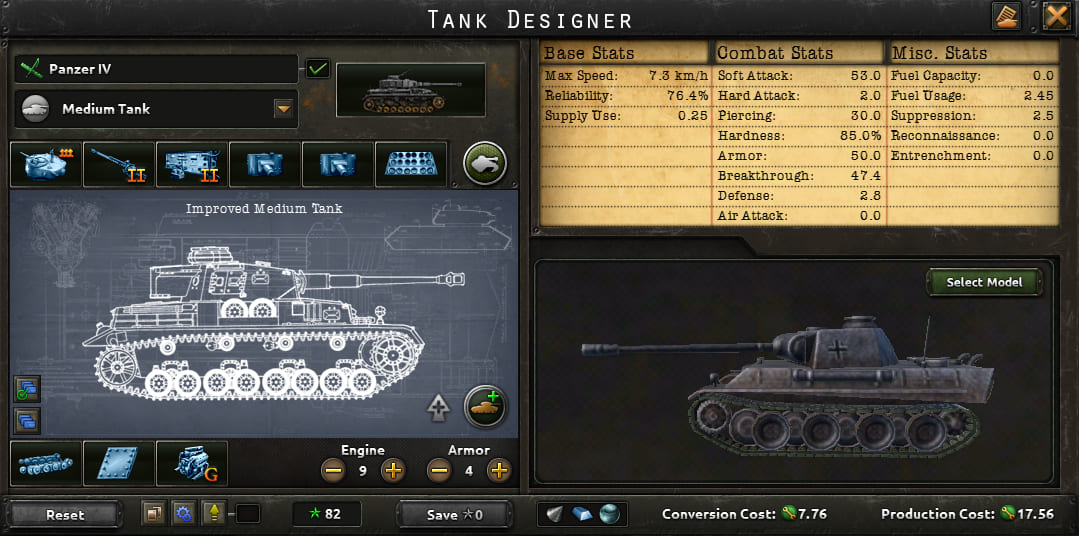
Assign military factories to produce equipment and vehicles. Drag the production cards to change priority. Attach design companies to each product — otherwise the company doesn't level up. Create improved variants with the "Create variant" button in the right panel.
Research
Research slots (usually 2–4) unlock everything from rifles to nuclear reactors. Keep the queue full. New slots open via focuses, decisions, and events. Research speed increases with laws, advisors, radio technology, and certain events/decisions.
Creating equipment templates
Research a base blueprint (e.g., medium tank 1938), then in the production tab click "Create variant". Configure it, save for army experience — and the new model appears in the production list.
Where to find army command
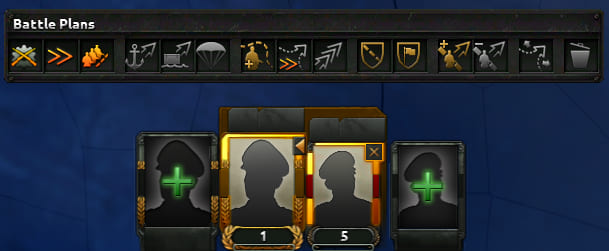
The bottom center panel — your main tool for commanding troops. From here you issue orders, assign divisions, and manage generals.
👤 Assigning a general
Select divisions on the map (drag a box or use Shift) and click the green plus on the bottom panel — that creates an army. Then click the empty portrait and pick a commander from the list. Prefer ones with high attack or the "Infantry Officer" trait. The fleet works the same way.
🎯 Front line and offensive plan
To order an army to hold a line, click the front line icon (in the orders menu) and drag right-click along the border. Then choose an offensive plan and indicate the direction into enemy territory. Without a plan, divisions won't auto-attack, and the planning bonus greatly boosts their first days of combat.
The meta offensive guide is here →
⏱ Training
Train an army by clicking the training icon in the orders panel. To have divisions automatically stop at level 3, hold Shift while clicking. This saves fuel and time — especially important for tank and motorized units.
📋 Composition & supply
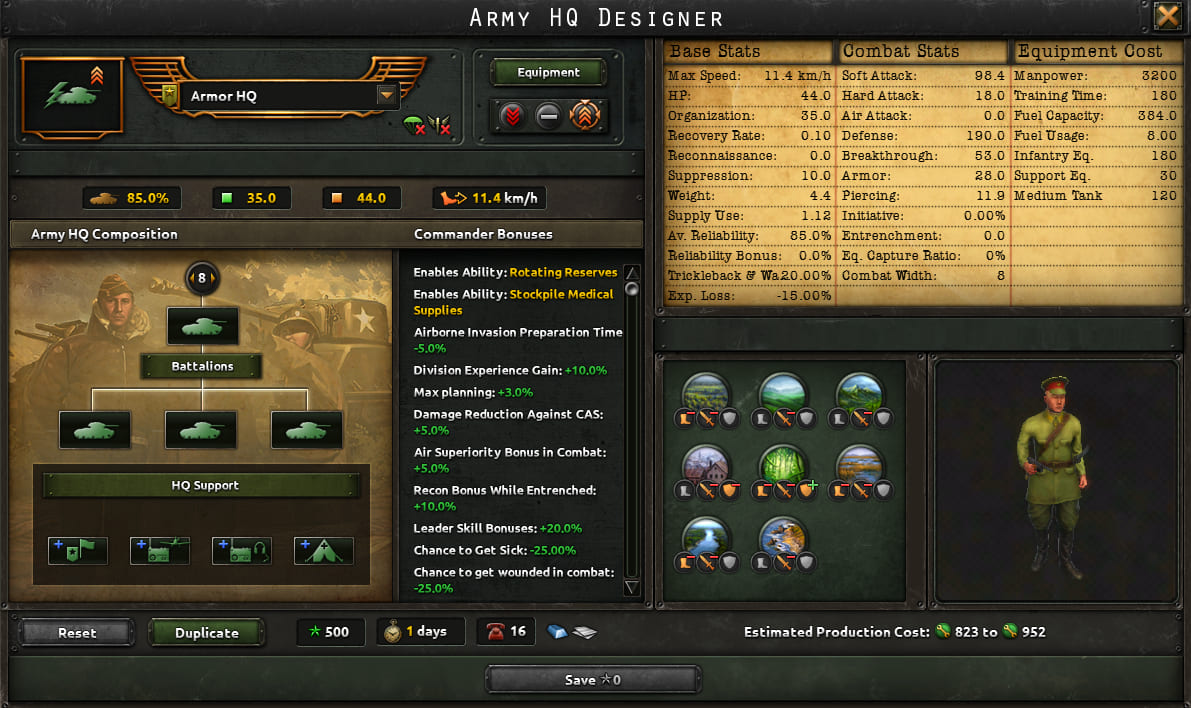
Clicking on the army opens its composition on the left: here you can manually detach divisions, change the template (for example, turn infantry into motorized), create an army headquarters, and configure the supply method — mounted (by default) or motorized. I recommend always using headquarters for armies. If you have a lot of trucks, switch supplies — this will speed up the delivery of ammunition and fuel. But if you need mastery points or experience, it is advisable to keep troops in training all the time.
Meta defence guide here →
📚 Doctrines: where and why
Doctrines are in the "Officer Corps" section (control buttons). They give global bonuses to your army, navy, and air force — boosting organization, breakthrough, speed, and other combat stats. Choosing the right doctrine and upgrading it in time can turn the tide of war. Full doctrines guide here →
How to farm experience from volunteers and the Spanish Civil War here →Top right corner
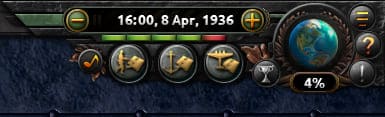
The right side of the screen contains elements that help you track time, game speed, overall military power, and world events.
📅 Date & speed
The current in-game date is shown in the center of the panel. Next to it are «+» and «−» buttons to change speed. Spacebar pauses the game. Keep an eye on the date so you don't miss important events or focuses.
🪖 Army / ⚓ Navy / ✈️ Air
Three icons show total numbers and buffs for each branch. Click any to open a summary: how many divisions/ships/planes, and what bonuses are active. A fast way to assess military strength without diving into statistics.
🌍 Globe & world tension
Click the globe icon to see ongoing wars. It also displays world tension — the higher it is, the easier to declare war and justify goals, but the AI grows more aggressive. Tension rises from annexations and player actions.
📦 International market
This icon isn't here; it's in the second row of the upper left. Use it to sell outdated equipment (like old rifles) and get «civilian factories» — a universal currency for construction. Very useful early on, when equipment isn't needed at the front yet.